
Submitting a Question
Submitting a Question
This article explains how to submit a question during the Q&A session of your Motion Meetings AGM and what happens after your question is submitted.
When Can I Submit a Question?
The Q&A panel is available when the organizer has opened Q&A submissions. This typically happens during the designated Q&A portion of the agenda, though some organizers open it for the entire meeting.
If the Q&A panel is greyed out or shows "Q&A is currently closed," the organizer has not yet opened submissions. Wait for the Q&A session to be announced.
How to Submit a Question
- Click the Q&A icon in the right-side toolbar of your meeting interface.
- The Q&A panel opens on the right side of your screen.
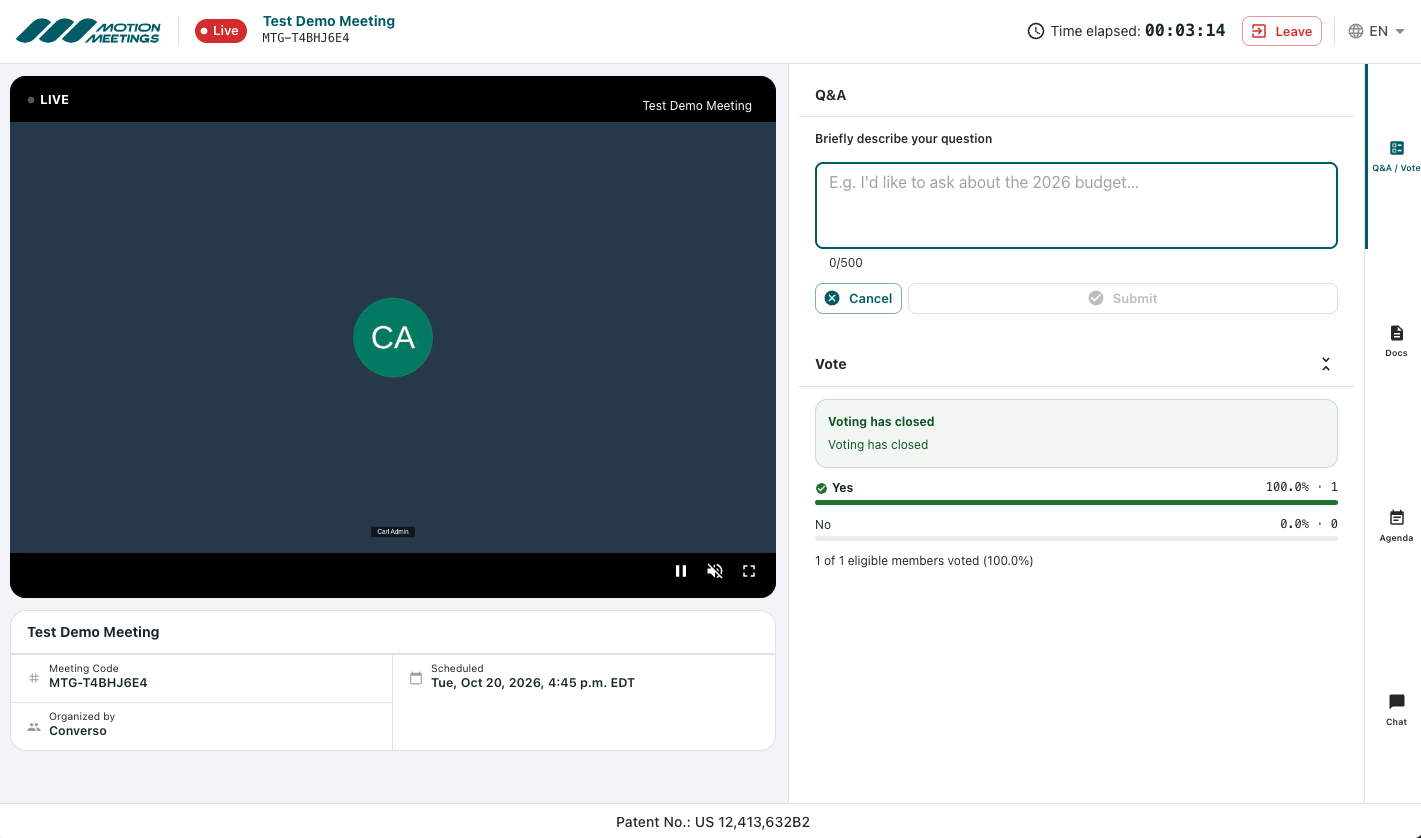
- Click the Raise Hand button. A text box opens labeled Briefly describe your question (max 500 characters).
- Type your question. Keep it concise and focused on a single topic for the best chance of being selected.
- Click Submit.
What Happens After You Submit
After submitting your question:
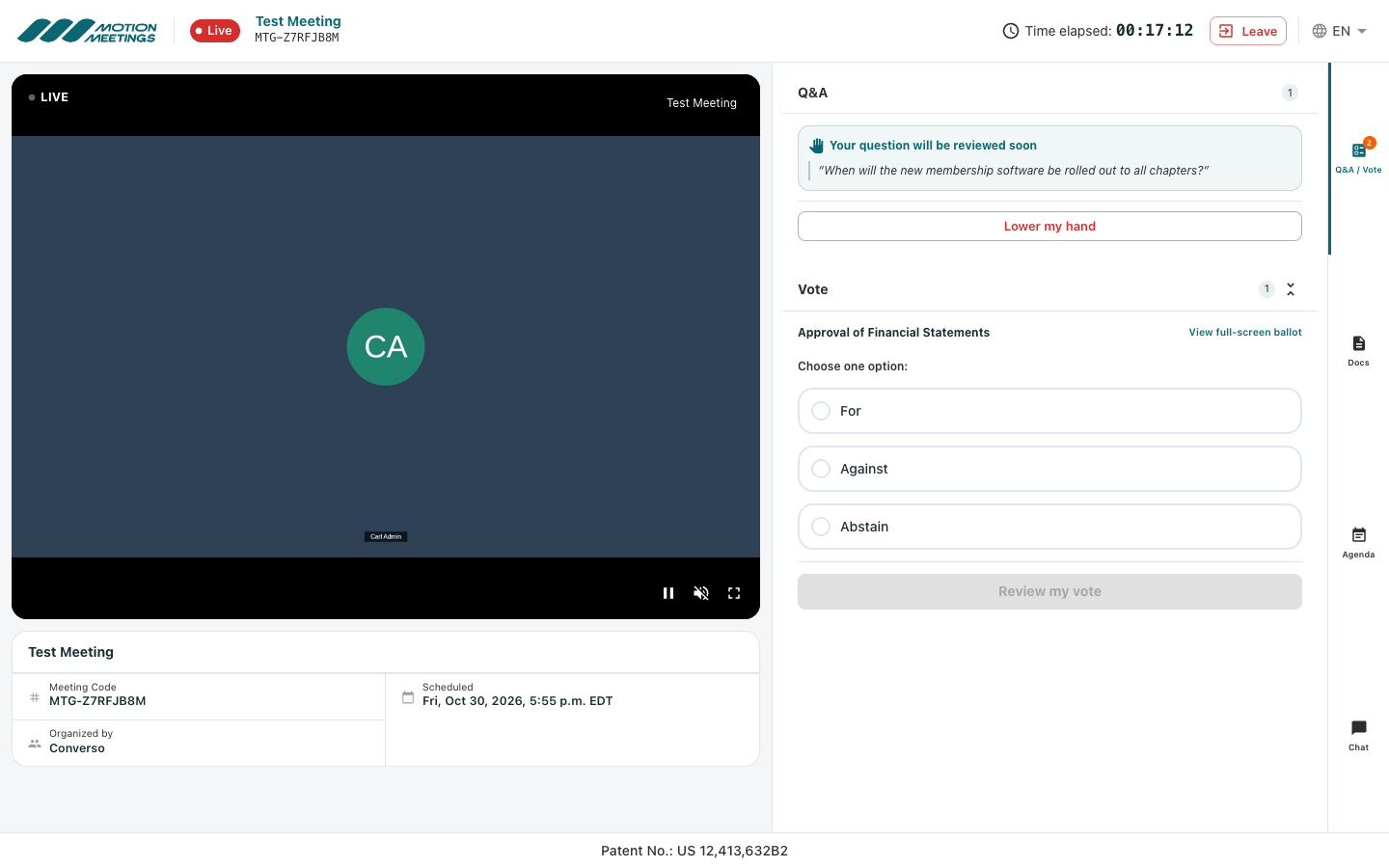
- The Q&A panel shows a confirmation: "Your question will be reviewed soon" with your question quoted below.
- Your question is sent to a Selector who decides whether to queue it for a speaker.
- If selected, it moves to the speaker's Q&A panel. The speaker sees it live.
- If the speaker addresses your question, the badge on your submission flips to Answered.
📝 Note — one question at a time
You can only have one question active at a time. If you need to submit a second question, click Lower my hand first — this withdraws the current one — then click Raise Hand again and type your new question. Only your most recent question is visible to Selectors; a lowered question is withdrawn, not kept in reserve.
📝 Note
Not all submitted questions will be answered in the session — the meeting may run out of time, or your question may be similar to one already addressed. Unanswered questions are captured in the post-meeting Q&A transcript for the organizer's reference.
Tips for Getting Your Question Answered
- Be specific — A clear, focused question is easier for Selectors to approve and speakers to answer.
- One topic per question — If you have multiple questions, submit them separately rather than combining them into one.
- Submit early — Questions submitted early in the session have more time to be reviewed and selected.
- Stay on topic — Questions relevant to the current agenda item are most likely to be selected.
Was this article helpful?